share
Easily share your files directly from the app with just a tap. Whether it's a document, image, or report, the share action lets you quickly send files via apps on the device, such as email, messaging apps, or AirDrop.

Configuration options
Some properties are common to all components, see Common component properties for a list and their configuration options.
email
Provide an email address, this optional property allows a string or expression. It is used to set the To address if sharing with email. If an email is supplied the share action will automatically open up the default email app on the phone to compose and fill in the supplied details. If email is not supplied, you will be able to share via other methods or apps. For iOS you can only supply a single email address. If you supply more, the To field will be left blank. This is not an issue on Android but for consistency it is best to keep to one email address.
fileUri
Provide the uri for the file you want to share, either from a datasource, in an expression, or from an action, such as the action.generate-pdf. You can reference the PDF or the local uri of the PDF document using the action's output uri [email protected]. The fileUri needs to be the full uri of the local file.
message
Add a text message to send with the shared file.
subject
Add a subject when sharing the file. The subject will only appear in apps that support a subject property, such as email.
title
Provide the action button with a title, for example, Share file.
Considerations
All properties are optional but you need to at least supply a
messageorfileUri.You can select from the apps or methods available on your device for sharing.
This means you can share a piece of text without a file.
You can also share one or more files. If there is more than one file it needs to evaluate to a string array.
For best results, share files that are stored locally (e.g., images or PDFs). Files stored in a datasource as base64, data URI, or buffers will be returned as unreadable binary (.bin) files.
Examples and code snippets
Share images

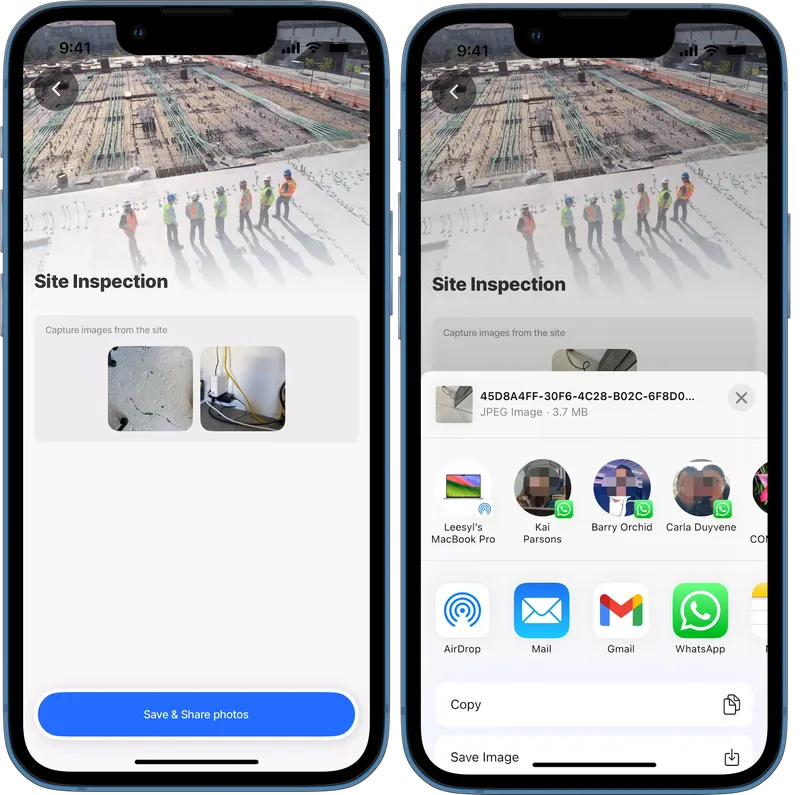
In this example, a foreman takes multiple images of the job and saves the images to Dynamic Data. When the images are successfully saved the images are shared via the devices message sharing apps.
Example: See the full code sample in GitHub.
title: Site Inspection
type: jig.default
icon: building-1-building
header:
type: component.jig-header
options:
height: medium
children:
type: component.image
options:
source:
uri: https://images.unsplash.com/photo-1541888946425-d81bb19240f5?w=900&auto=format&fit=crop&q=60&ixlib=rb-4.0.3&ixid=M3wxMjA3fDB8MHxzZWFyY2h8M3x8YnVpbGRpbmclMjBjb25zdHJ1Y3Rpb258ZW58MHx8MHx8fDA%3D
children:
- type: component.form
instanceId: site-multiple
options:
isDiscardChangesAlertEnabled: false
children:
- type: component.media-field
instanceId: site-photos
options:
# Set media field to allow multiple image uploads
isMultiple: true
label: Capture images from the site
mediaType: image
# Include the save method and share actions in the action list.
actions:
- children:
- type: action.action-list
options:
title: Save & Share photos
isSequential: true
actions:
# Configure the action to save the images to the database.
- type: action.execute-entity
options:
provider: DATA_PROVIDER_DYNAMIC
entity: default/site
method: create
data:
# Provide the metadata and image files to be saved.
site-photos: [email protected]
createdBy: [email protected]
createdDate: =$now()
# Provide the image to be stored in Dynamic files
file:
localPath: [email protected]
onSuccess:
# Once saved, the device's apps modal opens to send the images.
type: action.share
options:
message: =$fromMillis($toMillis($now()), '[M]/[D]/[Y]') & 'Site photos'
fileUri: [email protected]
Generate a pdf, save and share
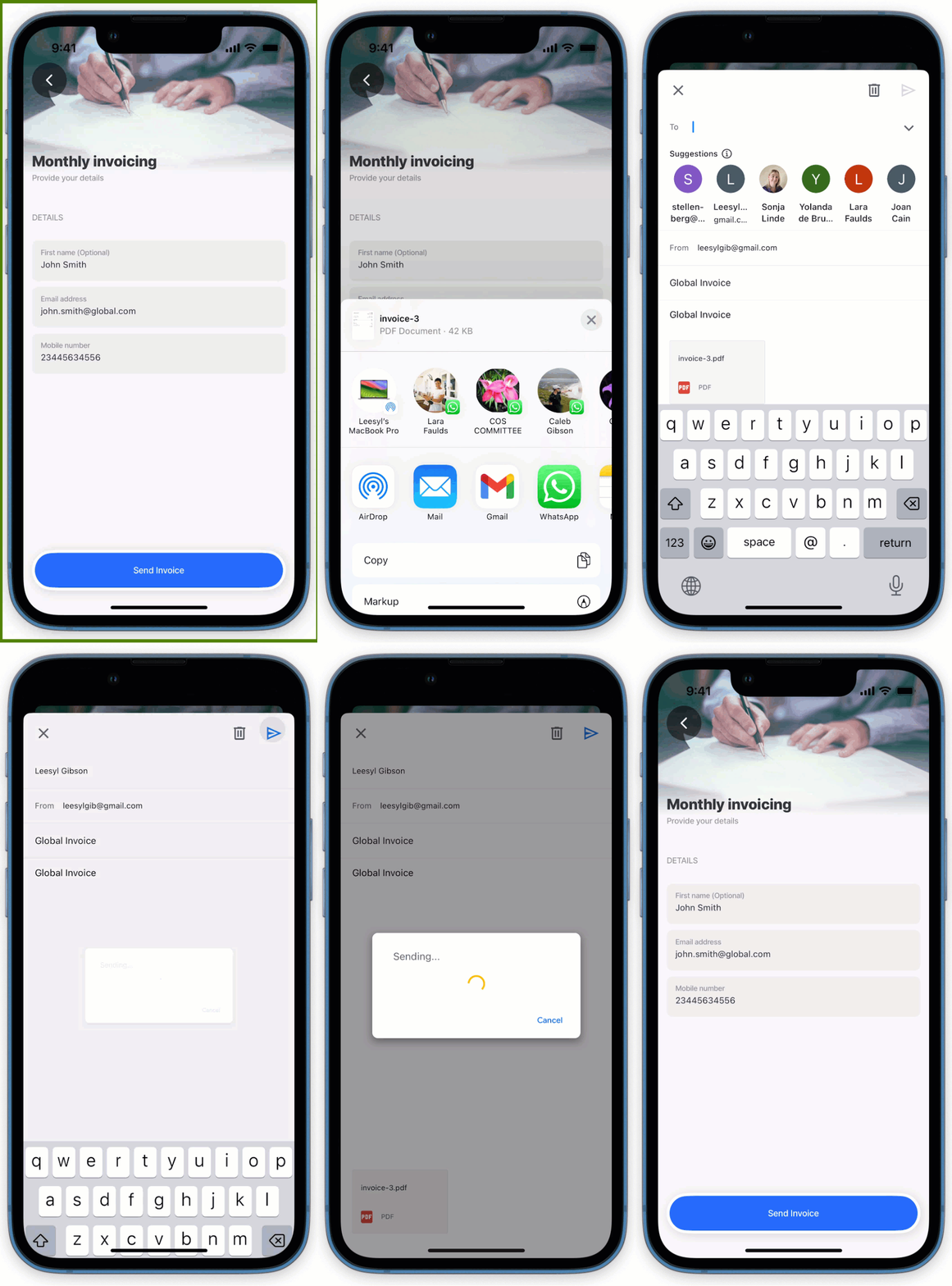
In this example, an action list contains three actions: the first generates a PDF for an invoice, the second saves it to the database, and the third shares the PDF via a messaging app on the device. The file is saved to dynamic files.
Example: See the full code sample in GitHub.

type: datasource.static
options:
data:
- id: 1
invoice: |
<!DOCTYPE html>
<html lang="en">
<head>
<meta charset="UTF-8">
<meta name="viewport" content="width=device-width, initial-scale=1.0">
<title>Invoice</title>
<style>
body {
font-family: 'Arial', sans-serif;
margin: 0;
padding: 20px;
background-color: #f6f6f6;
}
.invoice-box {
max-width: 800px;
margin: auto;
padding: 30px;
border: 1px solid #eee;
box-shadow: 0 0 10px rgba(0, 0, 0, 0.15);
background-color: #fff;
color: #555;
}
.invoice-box table {
width: 100%;
line-height: 1.6;
text-align: left;
border-collapse: collapse;
}
.invoice-box table td {
padding: 5px;
vertical-align: top;
}
.invoice-box table tr td:nth-child(2) {
text-align: right;
}
.invoice-box table tr.top table td {
padding-bottom: 20px;
}
.invoice-box table tr.information table td {
padding-bottom: 40px;
}
.invoice-box table tr.heading td {
background: #eee;
border-bottom: 1px solid #ddd;
font-weight: bold;
}
.invoice-box table tr.details td {
padding-bottom: 20px;
}
.invoice-box table tr.item td {
border-bottom: 1px solid #eee;
}
.invoice-box table tr.item.last td {
border-bottom: none;
}
.invoice-box table tr.total td:nth-child(2) {
border-top: 2px solid #eee;
font-weight: bold;
}
h2, h3 {
margin: 0;
}
</style>
</head>
<body>
<div class="invoice-box">
<table cellpadding="0" cellspacing="0">
<!-- Invoice Header -->
<tr class="top">
<td colspan="2">
<table>
<tr>
<td class="title">
<h2>Company Name</h2>
</td>
<td>
Invoice #: 12345<br>
Created: January 1, 2025<br>
Due: January 31, 2025
</td>
</tr>
</table>
</td>
</tr>
<!-- Company & Customer Information -->
<tr class="information">
<td colspan="2">
<table>
<tr>
<td>
Company Name, Inc.<br>
12345 Street Address<br>
City, State, Zip
</td>
<td>
Customer Name<br>
Customer Company<br>
67890 Customer Address
</td>
</tr>
</table>
</td>
</tr>
<!-- Payment Method Details -->
<tr class="heading">
<td>Payment Method</td>
<td>Check #</td>
</tr>
<tr class="details">
<td>Check</td>
<td>1001</td>
</tr>
<!-- Itemized List of Services/Products -->
<tr class="heading">
<td>Item</td>
<td>Price</td>
</tr>
<tr class="item">
<td>Website Design</td>
<td>$300.00</td>
</tr>
<tr class="item">
<td>Hosting (3 months)</td>
<td>$75.00</td>
</tr>
<tr class="item last">
<td>Domain Registration (1 year)</td>
<td>$10.00</td>
</tr>
<!-- Total -->
<tr class="total">
<td></td>
<td>Total: $385.00</td>
</tr>
</table>
</div>
</body>
</html>Share by email

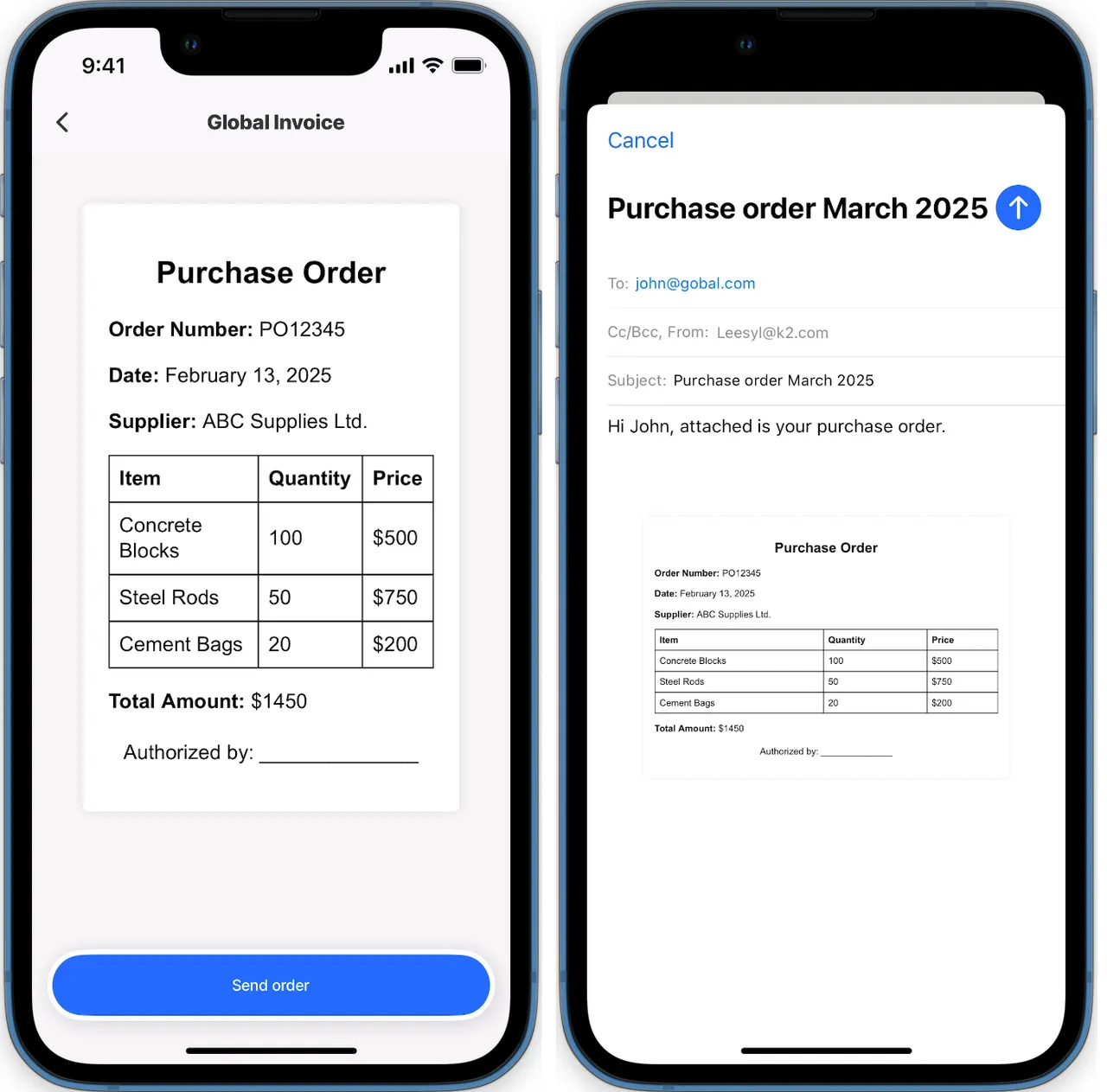
In this example, we demonstrate using the action.share to send an email to a customer with an attachment. The message, subject and email (To) properties are configured as part of the action.
Example: See the full code sample in GitHub.
type: datasource.static
options:
data:
- id: 1
order: |
<!DOCTYPE html>
<html lang="en">
<head>
<meta charset="UTF-8">
<meta name="viewport" content="width=device-width, initial-scale=1.0">
<title>Purchase Order</title>
<style>
body {
font-family: Arial, sans-serif;
margin: 20px;
padding: 20px;
background-color: #f4f4f4;
}
.purchase-order {
background: #fff;
padding: 20px;
border-radius: 5px;
box-shadow: 0 0 10px rgba(0, 0, 0, 0.1);
max-width: 600px;
margin: auto;
}
h2 {
text-align: center;
}
table {
width: 100%;
border-collapse: collapse;
margin-top: 10px;
}
table, th, td {
border: 1px solid #000;
}
th, td {
padding: 8px;
text-align: left;
}
.footer {
margin-top: 20px;
text-align: center;
}
</style>
</head>
<body>
<div class="purchase-order">
<h2>Purchase Order</h2>
<p><strong>Order Number:</strong> PO12345</p>
<p><strong>Date:</strong> February 13, 2025</p>
<p><strong>Supplier:</strong> ABC Supplies Ltd.</p>
<table>
<tr>
<th>Item</th>
<th>Quantity</th>
<th>Price</th>
</tr>
<tr>
<td>Concrete Blocks</td>
<td>100</td>
<td>$500</td>
</tr>
<tr>
<td>Steel Rods</td>
<td>50</td>
<td>$750</td>
</tr>
<tr>
<td>Cement Bags</td>
<td>20</td>
<td>$200</td>
</tr>
</table>
<p><strong>Total Amount:</strong> $1450</p>
<div class="footer">
<p>Authorized by: ______________</p>
</div>
</div>
</body>
</html>Last updated
Was this helpful?