For the complete documentation index, see llms.txt. This page is also available as Markdown.

generate-pdf

The generate-pdf action allows you to quickly create a PDF file version of HTML content, whether a receipt, report, form, or other document.

The URI of the generated file is returned and is available as part of the action instance output. When you tap the button, the app compiles the necessary information and generates a file you can save or share instantly.

Generate a PDF file
Generate a PDF file

Configuration options

Some properties are common to all actions, see Common action properties for the list of actions and their configuration options.

Core structure

html

Use standard HTML elements to ensure optimal formatting and compatibility when rendering content in the PDF file, for example, <html><body>Invoices are provided monthly.</body</html>. The HTML can be built up using JSONata or JavaScript.

fileName

Give the PDF a name, this name is used as the local file name, and is referenced as part of the uri, which can be accessed via the action's instance output (=@ctx.actions.generatePDF.outputs.uri). The .pdf extension is automatically added to the fileName.

title

Provide the action button with a title, for example, Invoice.

Other options

icon

Select an icon to display when the action is configured as the secondary button or in a jig-header.

isHidden

true hides the action button. false shows the action button. The default is false.

page

Controls the PDF page size, orientation, custom dimensions, and margins. See Page options for more information.

styles

  • isDanger - Styles the action button in red or your brand's designated danger color.

  • isDisabled - Displays the action button as greyed out.

  • isPrimary - Styles the action button in blue or your brand's designated primary color.

  • isSecondary - Sets the action as a secondary button, accessible via the ellipsis. The icon property can be used when the action button is displayed as a secondary button.

Page options

Use page to control the physical PDF page layout.

actions:
  - children:
      - type: action.generate-pdf
        options:
          html: =@ctx.datasources.template.html
          fileName: report
          page:
            size: letter
            orientation: portrait
            margin: none

Supported page fields:

  • sizeletter, legal, tabloid, a4, or a3

  • orientationportrait or landscape

  • width and height — custom page size in PDF points

  • marginnone, a single number, or an object with top, right, bottom, and left

Named page sizes use PDF points. 72pt = 1in.

  • letter612 × 792

  • legal612 × 1008

  • tabloid792 × 1224

  • a4595 × 842

  • a3842 × 1191

If you do not set page, the PDF uses letter and portrait by default.

If you set both width and height, they take priority over size and orientation.

Margin options

margin supports three formats:

  • none — no margin

  • number — the same margin on all sides

  • object — a different margin for each side, specified separately

Omitted margin sides default to 0.

Examples:

Page size and HTML layout

The YAML page configuration sets the physical PDF page size.

CSS @page size rules do not change the PDF page size. They affect only the layout inside the fixed page.

To avoid overflow or extra whitespace, keep your HTML and CSS aligned with the YAML page settings.

If the YAML and CSS sizes do not match, the PDF still uses the YAML size.

Multi-page rendering

Multi-page HTML paginates correctly on iOS.

Page breaks in your HTML and CSS are honored across physical PDF pages. For example, CSS break-after: page now places content on separate PDF pages.

Considerations

  • You can reference the local PDF file using the action's output uri in other actions or components, =@ctx.actions.generatePDF.outputs.uri. For example, generate the PDF file, then share the file.

  • Depending on where you save and use the saved PDF, you might need to use conversions.

  • The .pdf extension is automatically added to the fileName.

  • The page margin is applied by the PDF generator. It is not injected into the HTML as CSS.

  • Do not also set @page { margin: ... } in your HTML when you use the YAML page.margin field. This avoids double spacing.

  • When you use custom dimensions, both width and height must be greater than 0.

Examples and code snippets

Basic generate a PDF and share

Generate and share PDF

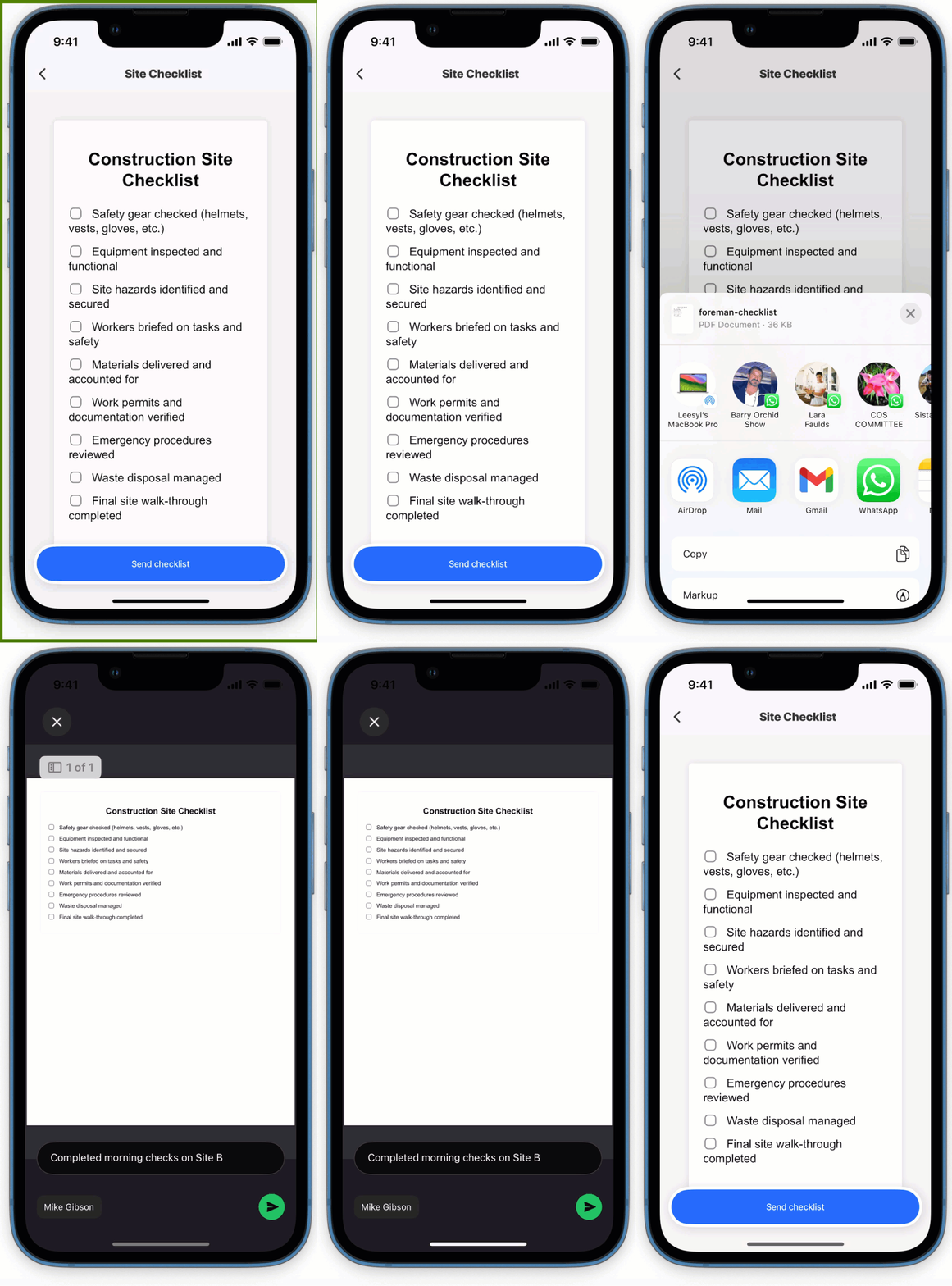
In this example, an action list contains two actions: the first generates a PDF of a checklist, the second shares the PDF via a messaging app on the device.

Example: See the full code sample in GitHub.

Control page size, orientation, and margins

Use page when the PDF must match a specific paper size or layout.

Multi-page HTML example

Use HTML page breaks when the PDF should span multiple pages.

Generate a pdf, save and share

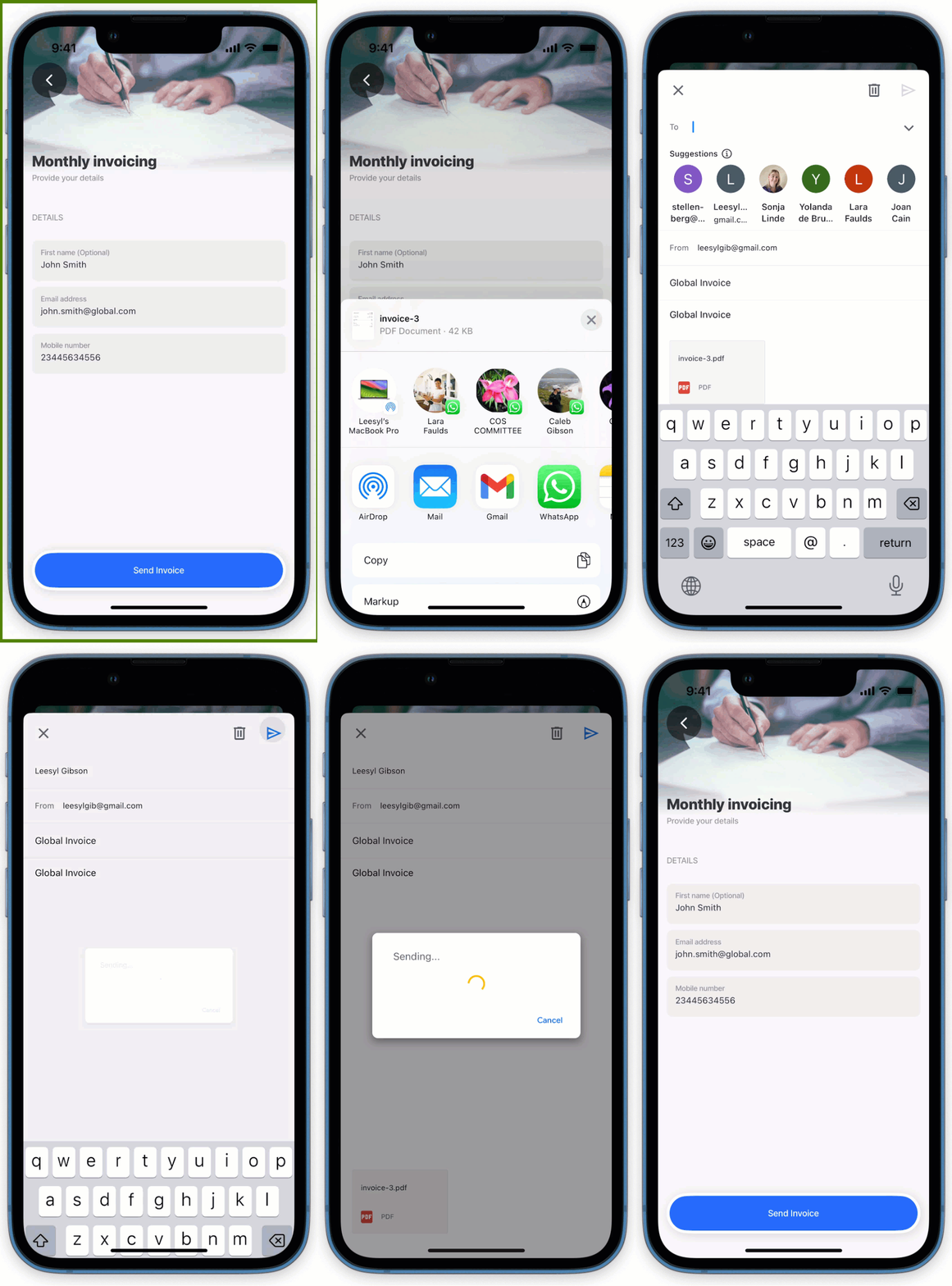
In this example, an action list contains three actions: the first generates a PDF for an invoice, the second saves it to the database, and the third shares the PDF via a messaging app on the device. When saving the file to the database the file is converted from local-uri to data-uri for storage.

Example: See the full code sample in GitHub.

Generate PDF, save & share

Generate pdf from JavaScript HTML function

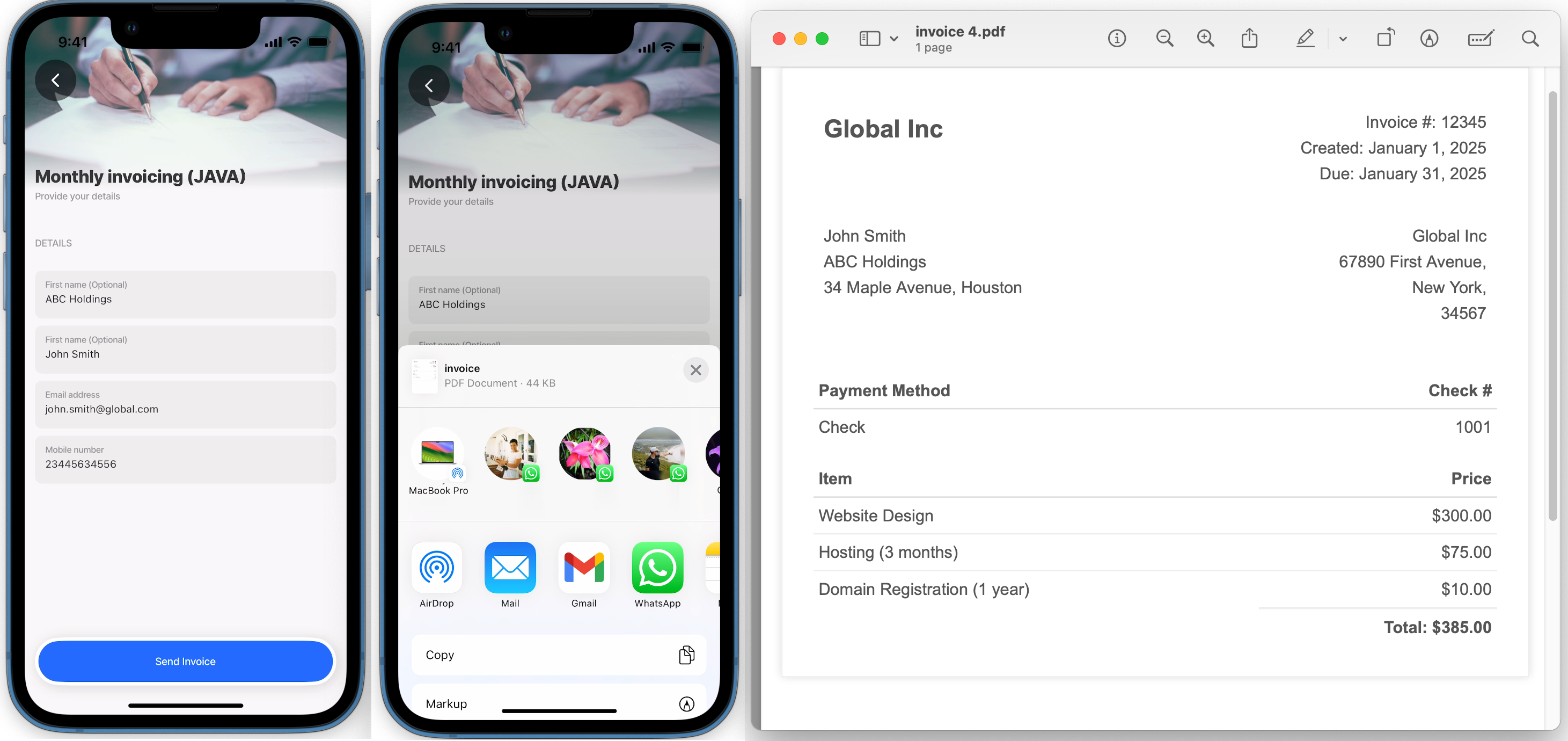
This example demonstrates how to use a JavaScript function to generate an HTML invoice. The invoice is populated with customer details retrieved from a Dynamic Data datasource named invoices. The JavaScript function is referenced in an expression used by action.generate-pdf, after which the invoice is shared using the action.share via the device's apps.

Example: See the full code sample in GitHub.

PDF from JavaScript function

Last updated

Was this helpful?